
- News
- Sports News
- How to download and play Free Fire Max in PC
Trending
How to download and play Free Fire Max in PC
Garena Free Fire Max, known for its enhanced graphics, is now easily accessible on PC via Android emulators like BlueStacks. This allows gamers to enjoy a more immersive experience with smoother controls and high-definition visuals.
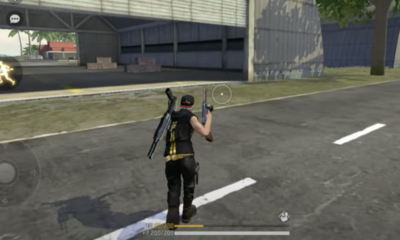
Image via Garena
Step 1: Download an android emulator
- Visit the official BlueStacks website.
- Click on the download button to get the latest version.
- Once the download is complete, run the installer and follow on-screen instructions to install it.
Step 2: Set up and sign in
Step 3: Install Free Fire Max
- Open the Google Play Store within BlueStacks.
- In the search bar, type “Free Fire Max” and locate the official app from Garena.
- Click “Install” and wait for the game to download and install.
Step 4: Optimise your settings
Step 5: Start playing
- Allocate more CPU and RAM to BlueStacks from the settings for optimal performance.
- Keep both BlueStacks and Free Fire Max updated to avoid compatibility issues.
- Adjust in-game settings like resolution and frame rate to balance visuals and speed.

About the Author
TOI Sports DeskEnd of Article
Follow Us On Social Media










Top Sports News
Top Trending
Explore Every Corner
Across The Globe
IND vs ENGZohran MamdaniAxiom 4 MissionShubhanshu ShuklaYashasvi JaiswalTaylor SwiftIranian Nuclear Scientists KilledAndre AgassiTaylor Swift private jetApex Legends Season 25Donald TrumpCody RhodesEmma RaducanuWhat is Pandoras LunchboxNational Stock ExchangeGold price predictionN ChandrasekaranGautam GambhirTravis ScottIsrael Iran newsAxiom Mission 4Axiom 4Simone BilesOperation Midnight HammerSebastian KordaGTA 6 LeakLionel MessiJon JonesBank HolidaysJosh Jacob
Hot on the Web
Jeff Bezos WeddingJeff BezosCancer SymptomsPanchayat 4 ReviewRam CharanStomach Cancer SymptomsShark Tank India RegistrationRaid 2 OTT ReleaseTallest Building Of DubaiSitaare Zameen Par ReviewLow Calories BreakfastsHair Growth TipsSana Khan Mother Death NewsKuberaa ReviewPriya SachdevSunita AhujaFatty Liver SymptomsVaishno Devi YatraKuberaa Box Office CollectionSitaare Zameen Par Box Office CollectionAfrican Crowned EagleKidney Disease SymptomsHeart Health ExerciseGoldfish TypesKuberaa Movie ReviewBaba Vanga PredictionBeautiful Natural LandmarksScenic Destinations From DelhiHousefull 5 Box Office CollectionDNA Movie ReviewDaniel GaffordDangeti JahnaviBelly FatBlack Mamba FightCancer ResearchHarvard Research RevealsHollywood Celebrities Who Love AnimeAmouranthMouth LarvaeAlcohol Can Shorten Your LifeMikayla RainesSundar Pichai
Trending Topics
Gautam GambhirJasprit BumrahKL RahulIND vs ENGNeeraj ChopraRishbah PantCOMEDK UGET CounsellingIISER IAT ResultAP PGECET ResultJAC Delhi Round 2 Seat Allotment Result 2025American Employees Work LifestyleSwami Vivekananda QuotesYashasvi JaiswalSalman KhanColorado Rockies vs Los Angeles DodgersDave RobertsShedeur SandersJiang XueqinJa Marr ChaseDelhi Girl DeathMumbai Train DeathsMeghalaya Murder CaseBank HolidayCM SiddaramaiahAir India Flight NewsKarnataka Parlour RaidRaja RaghuvanshiSivaji GanesanIran Kolkata Professor NewsPatna Airport NewsKEA DCET Result 2025Elon MuskBill GatesNYT Connections HintsWordle Today HintsNvidia Ceo Jensen HuangAndy JassyBest Romantic AnimeHawk Tuah GirlMicrosoft LayoffsApple iCloud OutageShubhanshu Shukla
Popular Categories
HeadlinesSports NewsBusiness NewsIndia NewsWorld NewsBollywood NewsHealth+ TipsIndian TV ShowsTechnologyTravelEtimesHealth & FitnessNFLIntel The Learning CurveIndia vs EnglandAstrologyWeather TodayPlatinum Rate TodaySilver Rate TodayGold Rate TodayDelhi AQI TodayJune Bank HolidaysPublic Holidays in JuneStock Market HolidaysNSE HolidaysBSE HolidaysTechnology NewsInternational SportsPublic HolidaysBank Holidays
Latest News
EPFO members take note! Advance withdrawal limit via auto settlement mode hiked to Rs 5 lakh; ATM withdrawals for PF accounts soonAxiom-4 launch successful: Shubhanshu Shukla is 1st Indian in space in 40 years; will be first ever at ISS tomorrowRainfall triggers landslide in Maharashtra’s Gayatri Nagar; homes damaged, residents evacuated as precautionVinFast displays VF6 and VF7 EVs across India ahead of launch: Design, battery, range and moreJustin Bieber’s shocking behaviour: Neuroscientist-turned-sage explains emotional toll of fame, says ‘there’s bound to be an emptiness’Viral: Man removes barnacles from sea turtle's mouth; internet hails the act of kindnessHow India’s air accident watchdog is failing its biggest test yetThe 3 health conditions Salman Khan suffers from and few know anything aboutCriminal Justice 4: Asha Negi says, “It’s not always about screen time”Criminal Justice 4: Asha Negi says, “It’s not always about screen time”Criminal Justice 4: Asha Negi says, “It’s not always about screen time"Cognizant to open big new campus in Visakhapatnam; 8,000 jobs to be createdVinFast displays VF6 and VF7 EVs across India ahead of launch: Design, battery, range and more7 ways to bring down Blood Pressure instantlyIND vs ENG: Will Jasprit Bumrah play the second Test? Shubman Gill drops bombshell on pacer's availabilityClearing NSE IPO hurdles: National Stock Exchange offers Rs 1,388 crore to SEBI; aims to settle co-location and dark fibre casesSrikanth's drug case: From defrauding around 200 people to selling drugs, police issues a details reportAxiom-4: Astronaut Shubhanshu Shukla lifts off as emotional mother watches from Lucknow; watch
Copyright © 2025 Bennett, Coleman & Co. Ltd. All rights reserved. For reprint rights: Times Syndication Service